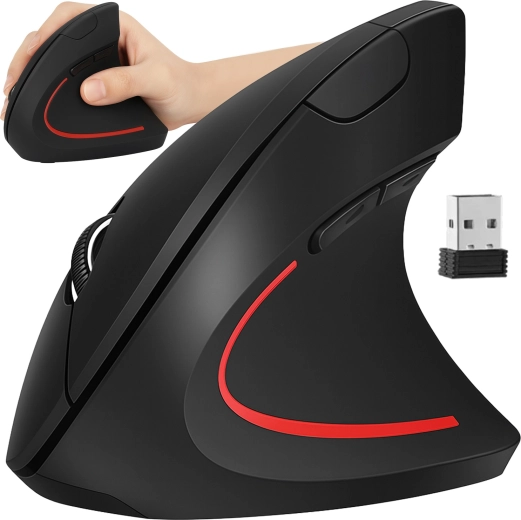
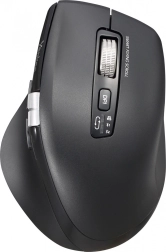
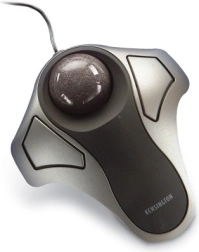
The IZOXIS wireless vertical mouse is designed for comfortable everyday use – thanks to the ergonomic vertical grip, it helps keep your hand in a more natural position. It offers a stable 2.4 GHz wireless connection with a range of up to 10 m, 6 buttons, and switchable DPI 800/1000/1200 for work and gaming. The practical USB nano receiver is stored in the bottom of the mouse, so it’s always at hand.
The vertical design of this mouse, compared to classic mice, is rotated so that the hand remains in a more “handshake-like” position. This can contribute to better comfort during longer work at the computer, studying, and gaming.
The mouse communicates via 2.4 GHz wireless radio and offers a range of up to 10 meters for convenient use with a laptop or desktop PC. You can switch sensitivity as needed, and thanks to 6 buttons including the scroll wheel, controls are always within reach.
Main benefits:
- Ergonomic vertical shape for a more natural hand position
- Wireless range up to 10 m and stable signal transmission
- Nano USB receiver stored in the bottom of the mouse
- Adjustable DPI: 800 / 1000 / 1200
- Compatibility with operating systems (according to the manufacturer)
Specifications
- Brand
- IZOXIS
- Type
- Wireless vertical ergonomic mouse
- Sensor
- Optical
- Connection
- Wireless (2.4 GHz)
- Range
- Up to 10 m
- Interface
- USB
- Receiver
- USB nano (suitable for USB 2.0, USB 3.0, etc.)
- Number of buttons
- 6
- Sensitivity (DPI)
- 800 / 1000 / 1200
- Design
- Right-handed
- Power supply
- 2× AAA (not included)
- Color
- Black
- Material
- ABS, PU
- Dimensions
- 7.5 × 12 × 6.5 cm
- Weight
- 0.082 kg
- Weight in package
- 0.132 kg
- Package contents
- Mouse, USB receiver (2.4 GHz radio), packaging
- Manufacturer
- Maxy Sp. z o. o, Gniewomierz 173, 59-241 Legnickie Pole, Poland, www.maxy.eu, [email protected]
- Responsible person in the EU
- Maxy Sp. z o. o, Gniewomierz 173, 59-241 Legnickie Pole, Poland, www.maxy.eu, [email protected]
- Warning
- 1) Hold the mouse so you can benefit from its ergonomic features – the grip should be natural and comfortable, with the hand in a neutral position. 2) Check proper calibration and settings in the operating system for higher accuracy and comfort. 3) Protect the mouse from drops, impacts, and mechanical damage. 4) Store in a dry and clean place, away from dust, moisture, and extreme temperatures.